 InspectCam™
For roofers · Free on Android · Pro coming soon
The roof inspection app with the pitch and the light built in
Check the pitch, light the attic, shoot one-handed from the ladder.

By , developer of InspectCam™ · Published · Last updated
InspectCam™ is a roof inspection app for Android that keeps the phone's light on while you look, shoot and record. Its free level reads roof pitch the way roofers say it, like 6/12, and Measure locks the pitch with the phone standing on its long side on the roof, then photographs it: a rough check, not for code or safety. Pro, coming soon, files every photo into the job at that address, stamps it with the date, time and place, and turns the job into a before and after report under your company's name.
A roof job throws off photos in three places: up on the slope, from the top of the ladder and in the attic. They end up as photos stuck in text messages, a camera roll with six houses in it, and a pitch written on the back of a glove. Then the homeowner calls about a drip, or the adjuster asks which slope took the hail, and somebody has to retrieve the right image weeks or months later, or reconstruct job details from memory.
The free InspectCam™ app handles the field part today: the pitch, the light and the shot. Pro, coming soon in the same app, handles the filing and the report.
Jump to
- Put the roof pitch on the photo
- The pitch photo and the step-back photo
- The light in the attic and under the eaves
- What a roof inspection app needs on the ladder
- Pro: the roof inspection app files every roof by address
- The pitch on the stamp and the report
- The Roofing and Roof storm claim templates
- Before and after for the homeowner and the adjuster
- Your crew and your subs
- Which plan fits a roofing company
- Questions roofers ask
How do you put the roof pitch on the photo?
Open InspectCam™ and tap Level on the tool rail. With the unit in inches (Settings, Level unit), a roof of 5° and steeper reads the pitch the way roofers say it, like “6/12”. The camera stays live and the light stays on while it reads.
- In photo mode, tap Measure, beside the reading.
- Put the phone's long side on the roof, along the slope, buttons up, and hold still. Two buzzes: the pitch is locked, and it saves a first photo at once.
- Step back and frame the spot, then press the shutter or a volume key for the proof photo, with the pitch on it.
It reads roofs up to 12/12. The whole level, Measure included, is free for everyone; how to check a pitch step by step, degrees and percent included, is in the phone level that keeps the flashlight on.
While Measure is locked, the app says so in its own words: “About. A rough check. Not for code or safety.” A phone is not a level, a pitch gauge or a survey tool, and no accuracy figure is given: read every number as “about”. Use it to plan the visit, bring the right ladder and note what you saw. Before you order material or make a code or safety call, check with the right tool.
That matters most near the lines the code draws. The International Residential Code (R905.2.2) allows asphalt shingles only on 2/12 or steeper, with double underlayment from 2/12 up to 4/12. Your building department decides which edition applies. A phone that reads “about 4/12” on a low porch roof is your cue to get the gauge out, not to decide.
The pitch photo, then the step-back photo
In photo mode, Measure takes the first photo the moment it locks. Then step back and frame the spot. The locked level stays on the screen at the roof's angle, with a white dotted line through its middle for true level and a dark card with the reading, like ROOF PITCH · 6/12 · 26.6°. Press the shutter or a volume key for the proof photo: both photos carry the level, the dotted line and the card. It says Saved, and the level stays on. Done ends Measure without a photo.
So the number never floats loose. You get one photo of the shingles with the pitch on it and one of the whole slope it came from: the main roof front and back, the garage, the porch. When the estimate is written at the kitchen table that night, each pitch has a picture of where it was read.
Photos from the free app save to your phone. Free photos carry a small, faint InspectCam™ mark in one corner.
Does the light stay on in the attic and under the eaves?

Yes. Turn the light on once and InspectCam™ keeps it on while you look, shoot and record. No flashlight in your teeth, no switching between the torch and the camera. From the hatch you aim at the underside of the deck: stains around the vent pipes, rusty nail tips, daylight where there shouldn't be any, wet insulation under a valley.
Under the eaves it's the same story: soffit vents packed with insulation or paint, fascia going soft behind the gutter, the drip edge from below. Tap the screen to focus on the spot, and zoom with a pinch or the wide and close presets your phone supports. If the shingles glare, dim the light from the light button, on phones that support it.
The light turns off after 10 minutes untouched, with a warning first, or if the phone gets very hot, as it can on a black roof in July. Tap the light to turn it back on. Your music keeps playing — even while you record video.
For a closed soffit bay or a wall cavity under a ceiling stain, plug in a USB borescope. Works with: Klein Tools ET16 (tested). Tested and doesn't work: DEPSTECH NTC55, Bazo DN200 and a scope sold as “Industrial scope W400”; they only work with their maker's app. Most scopes sold on Amazon won't work. The full list is on what InspectCam™ works with.
What a roof inspection app needs on the ladder

Climb with both hands and keep three points of contact, as OSHA's ladder card says. The phone rides in a pocket on the way up.
Once you're set at the eave, one hand holds on and the other shoots. These free tools are built for that:
- Volume-button shutter. Press a volume button to take the photo, so a gloved thumb doesn't hunt for the screen.
- Timer, 3 or 6 seconds. Reach the phone out over a gutter or past a dormer, let it settle, and it shoots by itself.
- Touch lock. The screen ignores a glove or a wet palm, so a brush doesn't switch modes or turn the light off.
- Tap to focus and zoom. Granules in the gutter, a lifted tab two courses up, a cracked boot around a pipe.
The timer, dim, mirror, volume buttons and touch lock are free for everyone from version 1.2. Walking a homeowner through the damage on video? On phones that support it, Dual records the back camera with your face in a small window, so they see the roof and hear you explain it. The front and back camera guide for job videos shows how.
Pro: the roof inspection app files every roof by address
Pro is coming soon, inside the same app. The free camera saves to your phone; Pro files each photo into the job it belongs to, so the right picture is under the right address months from now.
Start a job at the house and Pro fills in the address from where the phone is. Come back for the tear-off, and with location allowed, the camera picks the job you're standing at, if you've taken photos for it there before. After a hailstorm, when three houses on one street are yours, two or more jobs can share the spot: then the job chip asks “Which job?” until you choose, and one tap changes it. Say no to location and you pick the job yourself.

Every photo and video taken into a job is stamped with the date, time, street address and GPS coordinates the phone reports, in one thin line along the bottom (Dual videos excepted). Without location, the stamp is the date and time only. It's a record of the job, not a certificate.
When the homeowner calls in spring about a stain on the bedroom ceiling, search the jobs list, open the address, and every photo from the inspection, the tear-off and the final walk is there in order.
The measured pitch on the stamp and the report
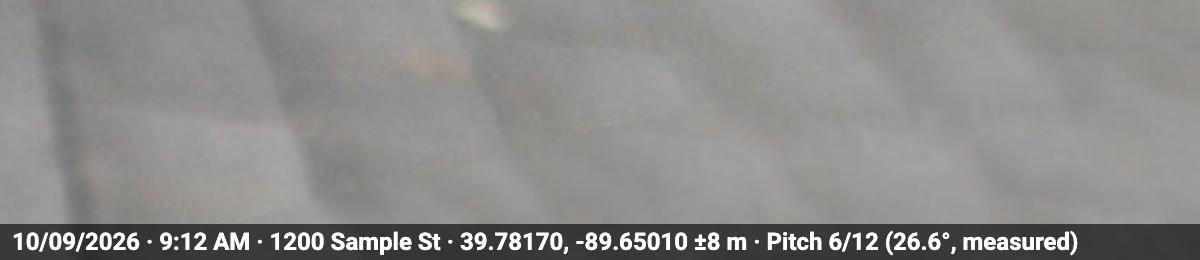
With Pro, Measure's photo filed into a job carries the measured pitch on its stamp, like “Pitch 6/12 (26.6°, measured)”. Never on video. The job page keeps every slope you measured with the time it locked, like “Pitch 8/12 · measured 7:12 AM”, and the report's cover lists them: “Roof pitch: 8/12 (33.7°), measured” with the date and time. The level itself stays free, and the rough-check rule doesn't change because a number is on a report.
The Roofing and Roof storm claim templates
With Pro, coming soon, pick a ready-made template when you start the job and it lays out the shots. Once added, each is yours to change: rename shots, require more, write your own tips. Until a required shot is taken, the job page shows it under Still needed, and on the camera one line under the job chip names the next shot, like “Next: Front of property 2/8”, and files the photo under it.
| Photo | Tip in the app | Required |
|---|---|---|
| Front of property | Show the house number | Yes |
| Roof overview | — | No |
| Damage close-up | — | No |
| Gutters | — | No |
| Attic | — | No |
| Work done | — | No |
The Roofing template also switches on before and after pairs and written findings, for a repair or a replacement you're selling. For storm work there's a second one, Roof storm claim. It turns on the claim details: claim number, insurance company, adjuster, date of loss and cause, with Hail and Wind on the list. It keeps before and after pairs and leaves findings off, so every photo prints as taken. Its shot list is the longest in the library:
| Photo | Tip in the app |
|---|---|
| Front of property Required | Show the house number |
| Sides of the house | Back, left and right |
| Roof slopes | Each slope |
| Roof pitch | Each slope, with Measure or a gauge |
| Test squares | 10 by 10 ft on each slope, hits marked |
| Hail hits | Close up, with chalk or a coin for size |
| Wind damage | Missing, lifted or creased shingles |
| Soft metals | Vents, gutters, air conditioner fins |
| Shingle edge and layers | Drip edge, and how many layers |
| Attic and inside leaks | Wet decking, ceiling stains |
If the storm also put water inside, the drying side of the job is on the water damage documentation page.
Before and after for the homeowner and the adjuster

After a storm, the homeowner's insurer wants pictures. The NAIC's consumer guide to the claims process tells policyholders to take photos or video of the damage and to make temporary repairs, such as covering a hole in the roof, and notes the adjuster may want to see estimates before repairs.
In Pro, pick a Before photo and its After in the job and they become a pair. The full report prints each pair on a page of its own, one above the other at the same size, each with its time, note and marks: the tarped slope and the new one, the dented vent and its replacement. That's the page the homeowner shows the neighbors and the adjuster checks against the estimate.
Open the photo from the last-photo square, tap Edit, and number the hail hits or the lifted tabs with arrows and circles in five colors, then say what each number means. The original photo never changes. Anything you mark internal only, a photo, a video or a finding, stays with your team and never shows up in what the customer gets.
The report is a PDF under your company name, with your logo, contact details, license number and a permanent report number. Photos print grouped by category with their date, time, notes and marks. The last page carries one small “Generated with InspectCam” line. Send it as a file, or from a company job's full report, as a link the homeowner or adjuster opens in a browser, with Download PDF; Stop sharing takes it down. Nothing connects to an insurer's or estimating system: you send the report yourself.
Your crew and your subs on the same roof
With Pro, the plan's owner brings the crew in with a short invite code. Everyone on a company job sees the same photos, notes and pitches, and edits merge field by field instead of overwriting each other, so the estimator's photos from Monday and the foreman's from the tear-off end up in one job. For now, everyone on the account needs an Android phone; the iPhone app is coming soon, with Pro included.

With Team or Business, one tap on the job makes a QR code for each trade on your list, plus one for other trades, where a sub types their own trade. The gutter installer, the HVAC tech who moved a vent and the electrician each get a code. Tape the sheet inside the garage, or text each one their link. They scan it, and the phone's browser opens a page for before and after photos and short videos. No app, no account. Their photos land in their own folder in your job, labeled as uploaded via link. Duo doesn't include the trade photo drop.
Which Pro plan fits a roofing company?
| Plan | People | A month | Fits |
|---|---|---|---|
| Duo | Up to 2 | $39.99 | An owner who sells and inspects, with one helper. Every Pro tool except the trade photo drop. |
| Team | Up to 5 | $89.99 | An estimator, a foreman and a crew, plus the trade photo drop for your subs. |
| Business | Up to 10 | $159.99 | Storm season: several crews on several streets at once. |
Duo and Team: pay yearly and get a year for the price of ten months. Business is monthly only. US prices, plus any tax, charged by Google Play. Pro is coming soon and can't be bought yet. At launch, Pro is sold in the United States; the free app is available everywhere. There's no one-person plan: if you work alone, Duo leaves room for a helper. For 11 or more people, ask us about a custom plan. The rest is on the InspectCam™ Pro page.
Questions roofers ask
Is the roof pitch check free?
Yes. InspectCam™ is free on Google Play, and the level, roof pitch and Measure are free for everyone, with nothing to buy. In photo mode, tap Measure, put the phone's long side on the roof and hold still: it locks the pitch, like 6/12, on roofs up to 12/12, and you step back for the proof photo with the pitch on it. It's a rough check, not for code or safety.
How accurate is the roof pitch reading?
No figure is given: it hasn't been checked against a pitch gauge, so read every number as “about”. A phone is not a level or a survey tool. Use a gauge before you order material or make a code or safety call.
Does the light stay on in the attic while I record?
Yes. Once it's on, the light stays on while you look, shoot and record. It turns off after 10 minutes untouched, with a warning first, or if the phone gets very hot; tap the light to turn it back on.
Can I take photos one-handed with gloves on?
Yes. Press a volume button to take the photo, set the 3 or 6 second timer, and turn on touch lock so a glove doesn't switch modes or turn the light off. Climb with both hands, and shoot once you're set.
Does the report go out under my company's name?
Yes, with Pro, which is coming soon: your company name, logo, contact details, license number and report number, with one small “Generated with InspectCam” line on the last page.
Does the stamp prove when the roof was damaged?
No. Pro's stamp prints what the phone reports at the shutter: the date, time, street address and GPS coordinates. It's a dated record of what you saw that day; how much weight it carries is up to the people you show it to.
Is InspectCam™ on iPhone?
Not yet. The iPhone app is coming soon, with Pro included. For now, InspectCam™ runs on Android phones.
Pro is coming soon and can't be bought yet, so some details here may still change. If your roofing jobs need something that isn't here, write to support@inspectcam.app.
Pro for other trades: contractors and their crews, water damage after a storm, home inspections, or see everything on the InspectCam™ Pro page.