 InspectCam™
Coming in version 1.2
A phone level that keeps the flashlight on
Coming in InspectCam™ 1.2: a level drawn on the live camera, so turning it on never turns your light off.
By , developer of InspectCam™ · Published · Last updated
Version 1.2 of InspectCam™ adds a free level that reads only the phone's motion sensor, so the camera keeps running and the level never turns the light off. Held up, it shows a spirit level with the angle; laid down, a bubble. Measure locks a roof's pitch and can photograph it. Until 1.2 reaches Google Play, the free app there is the camera with the light on.
The light went off on a foundation job
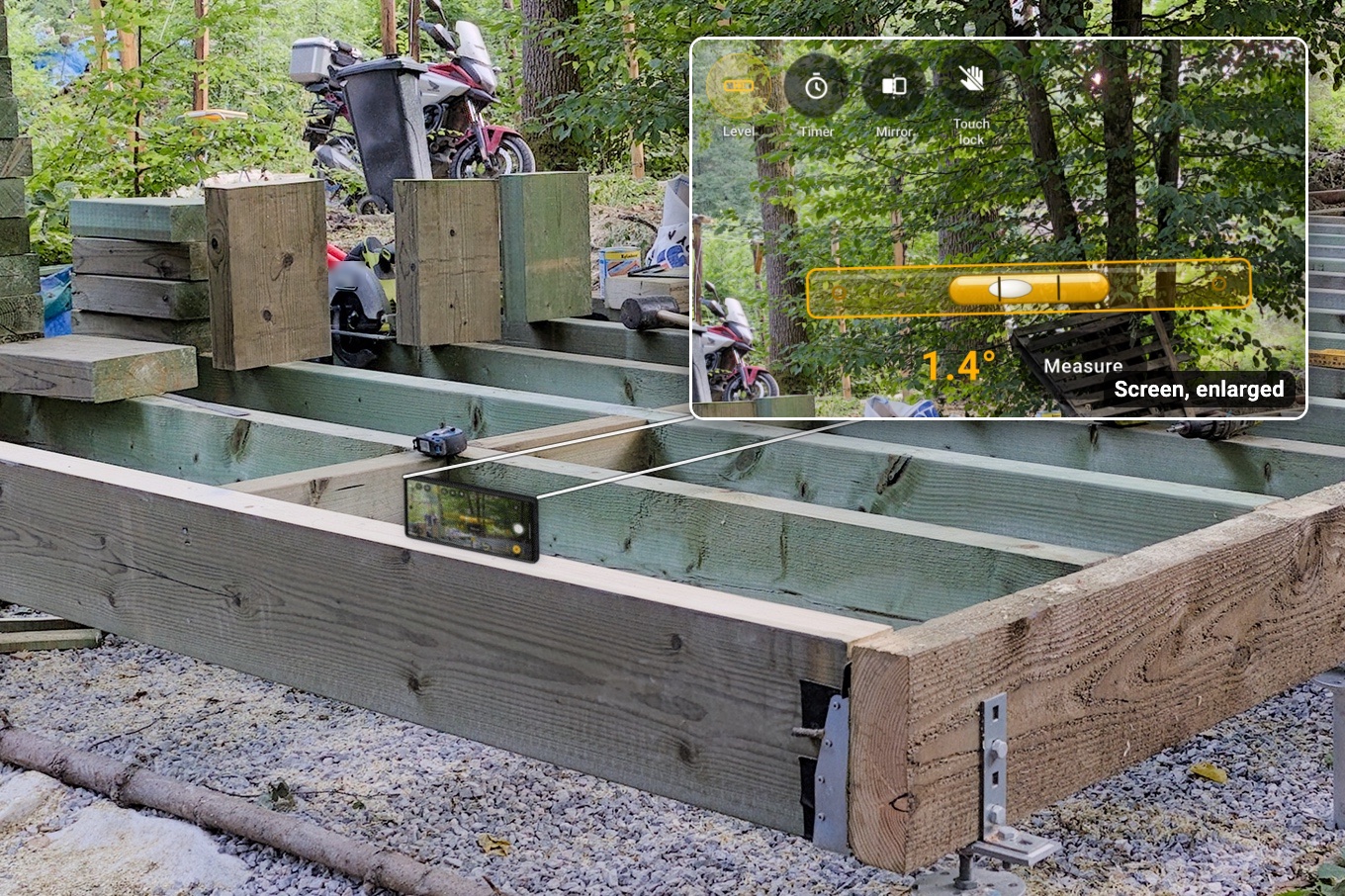
I was working on a foundation and opened the level in my iPhone's Measure app. Measure takes the camera, and my flashlight went off.
InspectCam™'s level, coming in version 1.2, is built around that. It reads only the phone's motion sensor and never touches the camera or the light, so the picture stays live and turning the level on never turns the light off.
Held up, a spirit level. Laid down, a bubble.
In version 1.2, tap Level on the camera's tool rail. Held up, you get a spirit level across the picture: a long bar that stays with the horizon as the phone tilts, a glass vial in its middle with two ticks, and a white bubble that slides to the high side, with the angle under it, like "1.4°". It's amber off level and turns green at level, the bubble between the ticks, with a short buzz (not while you're recording). Stand the phone on its long side and it reads that side, so along a rafter or a joist it reads the rafter or the joist.
Lay the phone down and it switches by itself to a bubble in a ring, in the same amber and green. Near level you get two angles, front to back and side to side ("0.3° / 1.1°"). On a slope it gives the surface's slope, whichever way the phone is turned on it.

Degrees, percent, roof pitch or inches per foot
In version 1.2, tap the number to change the unit: degrees, percent, roof pitch the way roofers say it ("6/12", to the half: "6½/12"), or inches per foot to the nearest 1/16. It remembers your pick.
Measure: lock a roof's pitch
Beside the number, version 1.2 adds Measure. Tap it and a big card says: "Stand the phone on its long side, along the slope." Stand it on the roof with the buttons up. Once it has rested about 2 seconds, the reading locks, the phone buzzes twice, and a white card shows the pitch, like 6/12, marked Measured.

Lying flat or held in your hand, it won't lock.
In photo mode, it takes the pitch photo
In photo mode, Measure takes one photo the moment it locks, with the pitch on a white label in the middle: ROOF PITCH, 6/12, 26.6°, Measured. Before you keep it you can drag the label, pinch it bigger or smaller, or turn it. Then Keep, or Delete with a few seconds to undo. After Keep it asks you to step back and frame the spot for a second photo, or Skip; then Measure is done. In video mode, Measure only measures. All of this comes in version 1.2.
The level and Measure are rough checks. Under every Measure result, the app says so in its own words: “About. A rough check. Not for code or safety.” A phone is not a level or a survey tool. A green level, a check mark, or the words "Level" or "Measured" only tell you what the phone read. Don't rely on a reading alone for engineering, safety, building code, inspection, insurance or structural decisions. Check with the right tool before you decide.
With Pro, the reading goes on the photo's stamp
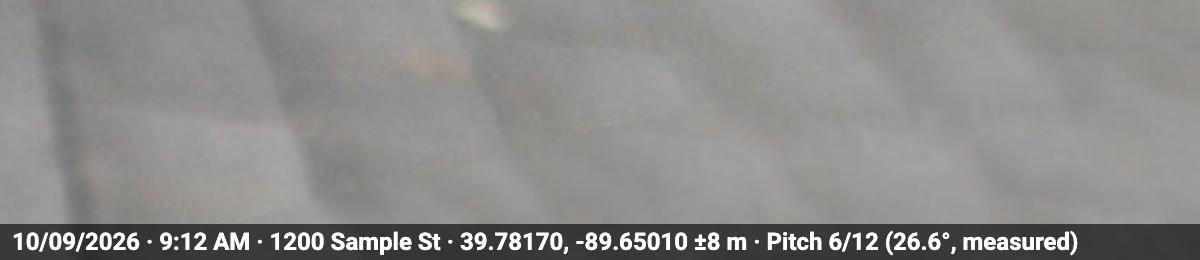
Pro is coming soon. Its stamp prints the date and time, and the place where location is allowed, along the bottom of each photo. With the level on, it adds the tilt, like "Tilt 1.4°" (not in roof pitch), and Measure's photos carry the measured pitch: "Pitch 6/12 (26.6°, measured)". The level itself stays free.
Questions people ask
Does the light stay on while the level is up?
Yes, by design: the level reads only the phone's motion sensor and never touches the camera or the light. It comes in version 1.2; the camera with the light on is free on Google Play now.
Can I check a roof's pitch with my phone?
With Measure, in version 1.2: stand the phone on its long side along the roof for about 2 seconds and it locks the pitch, like 6/12, on roofs up to 12/12. Treat it as a rough check, not a pitch gauge.
Doesn't my phone's camera already have a level?
Many do. Pixel Camera's Framing hints show a line with the angle, and Samsung's camera has a Composition guide with a level, to help you frame a picture. InspectCam™'s level is made for work: two angles when the phone lies flat, roof pitch and Measure, on a camera that opens with the light on. It comes in version 1.2.
How accurate is it?
I don't give a figure: it hasn't been checked against a real level or a pitch gauge yet, so read every number as "about". The level and Measure are rough checks. A phone is not a level or a survey tool.
Is the level free, and when does it arrive?
Yes, for everyone, with nothing to unlock. It arrives in version 1.2, and there's no date to give yet. It needs a gravity sensor or an accelerometer; a phone with neither shows no Level button.
This page describes version 1.2 before release. If the app does something different when it arrives, tell us.