 InspectCam™
For builders, draw inspectors and lenders · Pro coming soon
Draw inspection checklist: what lenders want photographed per draw
What lenders check, shot once and in order, so the draw doesn’t stall.

By , developer of InspectCam™ · Published · Last updated
For each draw, lenders and their inspectors typically want: the address or permit card, the outside from every side, a photo for every line on the draw schedule (including lines not started), the progress since the last draw, the inside room by room, materials delivered to the site, anything unsafe or blocked, and the invoices, receipts and lien waivers behind the money. Take at least 20 photos, comment on what each one shows, and shoot from the same spots every visit. Your lender's draw manual has the final say.
A draw gets cut for boring reasons. The roofing line says 40%, but there's no photo of the back slope. The windows are in the garage, but nobody shot the delivery ticket. Last month's photos are stuck in text messages on the lead's phone, so nobody can show what changed. The inspector, or the builder doing a virtual draw, has to reconstruct job details from memory, and the money waits for a second visit.
This checklist pulls together what lenders, servicers and draw-inspection companies actually ask for, with a link to each source. Hard-money lenders, banks and agency programs all word it differently, so treat it as the common ground and check it against your own lender's draw manual.
Jump to
- What does a draw inspection check?
- The checklist: what to photograph per draw
- How many photos does a draw need?
- Materials on site: will the lender pay for them?
- Invoices, receipts and lien waivers
- How to shoot a draw fast
- Dark rooms and crawl spaces: the free camera
- Pro, coming soon: a Draw inspection job and draw report
- Questions builders and inspectors ask
What does a draw inspection check?
A construction loan pays out in stages. Before each payment, called a draw, the lender wants proof that the work it's paying for is in place. The draw inspection is that proof: someone walks the site, photographs the work, and puts a percent complete on each line of the budget.
Built Technologies, a construction-lending platform that runs draws for lenders, puts it plainly in its guide to draw inspections: the inspector photographs progress, accounts for materials, and tracks each line item's completion by percentage. Lima One Capital, a lender to real-estate investors, describes its draw process the same way: the investor marks which budget line items from the approved rehab budget are complete, and Lima One verifies the work by sending an inspector or through photos uploaded from a phone.
A draw inspection doesn't judge quality. Built's guide for lenders and inspectors says it doesn't assess material quality, check the budget against the appraisal, or recommend funding. An appraiser handles those. The inspector's job is narrower: show what's there, line by line.
Agency loans follow the same idea with their own forms. On an FHA 203(k) rehab loan, HUD's Handbook 4000.1 has the 203(k) consultant fill in form HUD-9746-A at each draw inspection, showing the repairs were done to the work write-up, and the borrower and the contractor sign it before money is released.
The checklist: what to photograph per draw
This is the common ground across the lenders and inspection companies cited on this page. Your lender may add to it; few ask for less.
| Item | What to shoot | Why the lender asks |
|---|---|---|
| Address, site sign, permit | The house number or site sign, close enough to read; the posted permit card if there is one | Proves it's the right property. Built asks for address or permit photos when available |
| Street view and front | One wide shot from the street, then the front of the building | LendingOne's virtual draws always include the street view and the front of the house |
| Every side of the exterior | Each side, corner to corner, plus the roof slopes you can see | Trinity suggests 10 to 20 exterior photos, all sides included |
| Each line of the draw schedule | At least one photo per budget line, the lines not started too (as 0%) | LendingOne wants photos for each line item; Inspectify wants items shown even if absent or not started |
| Progress since the last draw | The same spot and angle as last visit, so the change is obvious | The lender funds the percent it can verify, not the percent requested |
| Interior, room by room | Each room from the doorway, then the work in it; say the room's name | Trinity says lenders typically need 20 to 40 interior photos |
| Rough-ins and utilities | Open walls before cover-up, the panel, the meter, the water heater and HVAC as they go in | Plumbing, electrical and HVAC are usually their own budget lines, and closed walls can't be shown later |
| Materials on site | What was delivered, where it's stored, with the delivery ticket | Some lenders credit stored materials, many don't; Built leaves it to the inspector's discretion |
| Safety issues and blocked access | Anything unsafe, and whatever stopped you seeing an item | Inspectify asks for a photo of the obstruction; Built comments where photos don't show the site |
| Invoices, receipts, lien waivers | A clear photo or PDF of each, matched to the line it pays for | Lenders want paperwork that covers the draw, and lien waivers protect their lien |
Sources for the rows: Built, LendingOne's virtual draw guide, Trinity, which inspects for construction lenders, Inspectify's guide for its draw inspectors, and the lenders in the sections below. The rough-in row is a builder's habit, not a lender's rule: a wall closed before the draw visit is a line nobody can prove.

How many photos does a draw need?
More than most people take. Built requires at least 20 photos per inspection, allowing fewer only where there's little to see yet, like an empty lot or a foundation. Its inspectors review every budget line, not just the ones in the request. Trinity's advice to draw inspectors is 10 to 20 exterior photos and 20 to 40 interior, and that too many beats too few. It also says a photo with no comment is one of the poorest things a draw report can have.
Video counts on some virtual draws. LendingOne asks for one walkthrough of the interior and one of the exterior, each up to 60 seconds, filmed like a tour for the inspector, naming each room or item as you go.
If your lender has its own photo app, use it. Easy Street Capital's draw FAQ says progress photos go through its inspection app, Lima One's FastTrack sends a link to one, and LendingOne's photo partner, Truepic, texts an upload request and emails the app's download link. Those photos go straight to the lender, and no other camera replaces that upload. Keep your own set as well, for your records and for the next draw's comparison.
Materials on site: will the lender pay for them?
Often not until they're installed, so ask before you count on it. Built's guide says a draw inspection gives no credit for uninstalled materials or soft costs by default; inspectors and lenders agree case by case, and inspectors aren't obliged to grant it. On 203(k) loans, HUD's handbook generally doesn't allow a draw for materials that are paid for but not yet installed.
Where your lender does fund stored materials, make the photos do the arguing. Shoot the stack where it sits, with something that shows the count (the pallet tags, the window labels), then the delivery ticket or bill of lading, then where it's locked up. A garage full of windows means nothing in a photo without the ticket that says how many and for which address.

Invoices, receipts and lien waivers
The photos prove the work; the paperwork proves the money. Easy Street Capital asks for its scope of work and draw request form, plus receipts and invoices that equal or exceed the draw amount; on a project you manage yourself, receipts for materials and copies of digital payments for labor. It also notes the remaining draw balance must always be enough to finish the project. 1st Security Bank of Washington asks for all invoices at submission and warns that missing proof of payment delays a draw significantly.
Lien waivers protect the lender's place in line. Fannie Mae's HomeStyle Renovation rules require the lender to get a lien waiver from the contractor, all subcontractors and suppliers, or a clear title report, before the final payment, and the renovation contract must schedule each stage of work with its payment. Many states have their own lien waiver forms, so the wording is a question for your lender and your own legal advice.
Photo counts, video, which waivers (conditional or unconditional), whether stored materials count and how many draws you get all vary by lender and loan program. This page shows the common ground, not any one lender's rules.
How to shoot a draw fast
A draw walk goes quickest as a loop you repeat every visit. The same order and the same spots make the next draw's comparison easy, and they make it obvious when a line has moved.
- Start at the street. House number or site sign first, then the street view, then the front. Every later photo then belongs to a proven address.
- Walk the outside one way round. Each side, then the roof slopes you can see from the ground. Stand where you stood last time.
- Go inside in the order of the draw schedule. Foundation, framing, roofing, rough plumbing, electrical, HVAC, windows and doors: one wide shot that shows where you are, then one close shot of the work.
- Shoot the lines that haven't started too. A photo of an empty mechanical room says 0% better than a blank.
- Get into the dark spots. Crawl spaces, attics, open walls and basements are where the rough-ins hide, and where phone photos come out black.
- Materials, then paperwork. The stack, its label, the ticket. Then each invoice and receipt, flat and square, readable from edge to edge.
- Write the comment while you're standing there. "Back slope, sheathing done, no underlayment yet" takes ten seconds on site and ten minutes from memory.
Inspectify's own instructions tell its draw inspectors to bring a flashlight. With a phone, that usually means one hand for the light and one for the camera, or a flashlight that switches off the moment the camera opens.
Dark rooms and crawl spaces: the free camera

InspectCam™, which I build, is a flashlight camera for trades, free on Google Play. Turn the light on once and it stays on while you look, shoot and record: into the crawl space from the hatch, along the attic past the insulation, into the wall cavity before the drywaller arrives.
- Zoom from where you stand. Pinch, or tap the wide and close presets your phone supports, to get the panel label or the strap on a pipe without climbing in.
- Tap to focus on the joint or the label, then shoot.
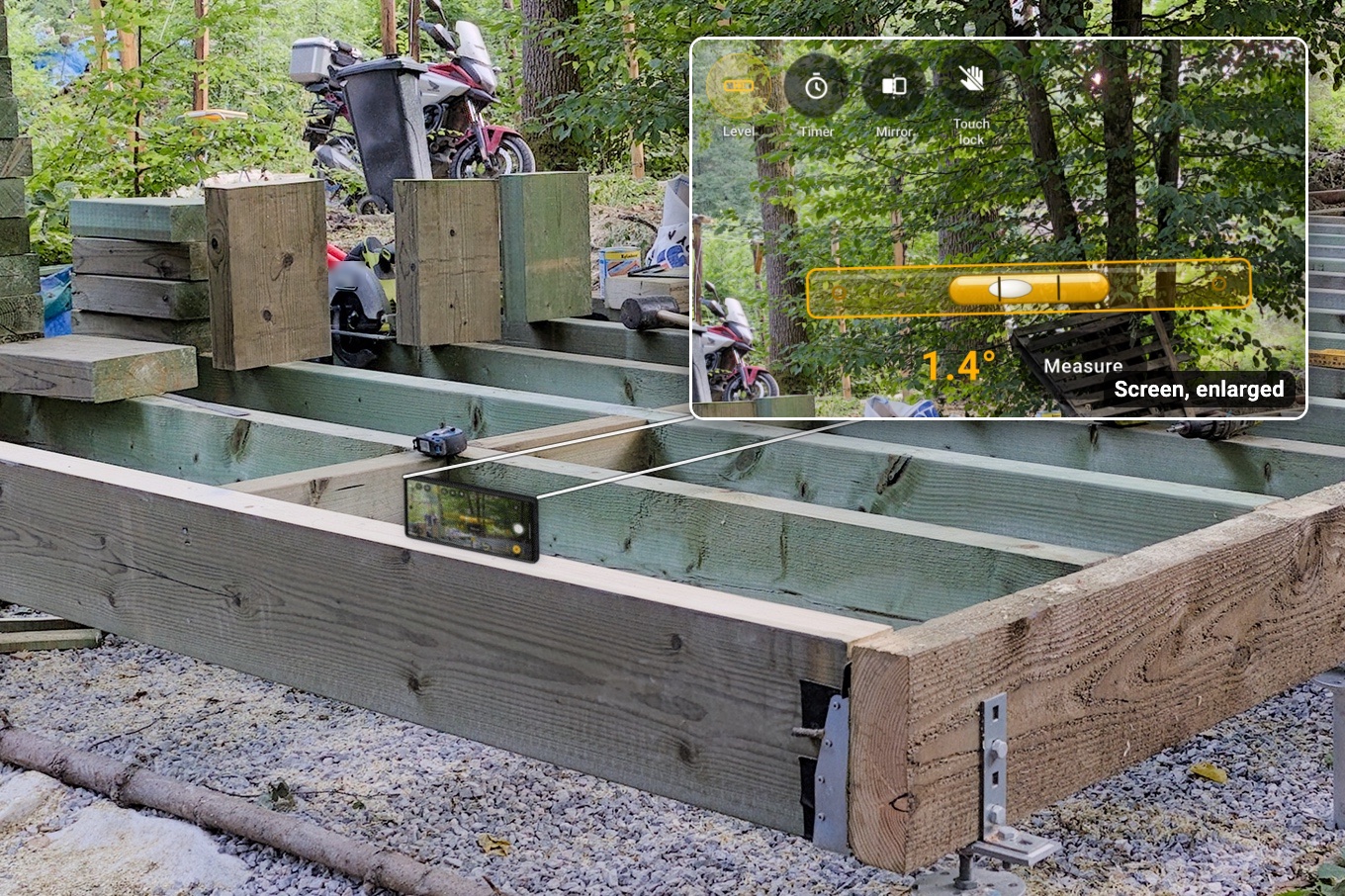
- A level on the camera. Level, roof pitch and plumb, and Measure photographs the pitch for you. It's a rough check, not for code or safety, but it puts the pitch in the roofing line's photo.
- Hands full? The volume buttons take the photo, the timer waits 3 or 6 seconds, and touch lock stops a sleeve from tapping the screen.
- Both cameras at once, on phones that support it, if the lender wants you talking in the walkthrough video.
- Where your arm won't reach, plug in a USB borescope. Works with: Klein Tools ET16 (tested). Tested and doesn't work: DEPSTECH NTC55, Bazo DN200 and a scope sold as “Industrial scope W400”; they only work with their maker's app. Most scopes sold on Amazon won't work.
The light turns off after 10 minutes untouched, with a warning first, or if the phone gets very hot. Tap it to turn it back on. Your music keeps playing — even while you record video. Free photos carry a small, faint InspectCam™ mark in one corner. Photos and videos save to the phone's gallery, ready for your lender's upload. Get it free on Google Play.
Pro, coming soon: a Draw inspection job and a draw report
The free camera gets the photos. The hard part is the month after: retrieving the right image weeks or months later, matching it to the right line, and showing last draw beside this one. That's what Pro is for. Pro is coming soon, in the same app.
Start a job from Pro's ready-made Draw inspection template and the lender, loan number and draw number go on the job. A Front of property photo is required, with the house number every visit, and the job switches on a draw schedule, invoices and receipts, a lien waiver and the scope of work. Allow location and the camera picks the job you're standing at, if you've taken photos for it there before; where two or more jobs share the spot, it asks “Which job?” until you choose.

The draw schedule works out the draw
Add a line for each part of the budget, up to 60. At each visit, type the percent done now. The app works out each line's share of this draw to the cent: a $12,500 line going from 20% to 45% draws $5,625.00 less $2,500.00, which is $3,125.00. It totals the draw, shows the percent done across the whole budget, and what's left after this draw. A line whose percent falls below last draw's draws $0.00 and says “Lower than last draw” in red.
Each line's photos are a category with the line's name, so “Sort photos into Framing” files the framing shots under Framing. With Pro's stamp, every photo carries the date, time, street address and GPS position along the bottom: what the phone reports at that moment, a record of the visit rather than a certificate. (Videos in both-cameras mode aren't stamped.)

Invoices, the lien waiver and the draw report
Attach invoices and receipts as pictures or PDFs, each with a name like “Lumber, $2,431”. The lien waiver has no default wording, because many states have their own form: add your company's once, the job fills in the lender, loan and draw numbers and this draw's amount, and the contractor signs on the phone. Signed a paper waiver on your state's form? Add it as a picture or PDF under invoices and receipts. What a signed waiver means legally is a question for your own legal advice.
The draw report is a PDF under your company's name, with your logo and contact details. The lender, loan and draw numbers sit on the cover, the schedule's table follows, then the photos in the schedule's order (front of the property first) under each line's budget, percent done and this draw, then a page per invoice and the signed lien waivers. A small “Generated with InspectCam” line closes the report.
At the end of the visit, Start next draw sets up the next one: same template, address and fields, the draw number one up, and every line starting where this one left off. Nothing connects to a lender's system: you send the report yourself. Amounts are in US dollars.
On Team and Business, your subs can send their own photos into the job by QR code, with no app and no account, so the electrician's rough-in shots land under the job before you walk it. Everyone on the company account works the same jobs from their own Android phone, for now; the iPhone app is coming soon, with Pro included. Builders running crews will find the rest on the construction photo app page.
What Pro costs
| Plan | People | A month | Fits |
|---|---|---|---|
| Duo | Up to 2 | $39.99 | An inspector or builder working alone, with room for a helper |
| Team | Up to 5 | $89.99 | A builder with a lead and a small crew; adds the subs' QR photo drop |
| Business | Up to 10 | $159.99 | A builder with project managers, or a lender's in-house draw team |
On Duo and Team, yearly is a year for the price of ten months; Business is monthly only. Pro is coming soon and can't be bought yet. The full list is on the InspectCam™ Pro page.
Questions builders and inspectors ask
What should a draw inspection checklist include?
The address or permit card, the street view and every side of the outside, a photo for every line on the draw schedule (lines not started too), the progress since the last draw, the inside room by room, materials on site with their delivery ticket, anything unsafe or blocked, and the invoices, receipts and lien waivers for the draw. Check it against your lender's draw manual, which has the final say.
How many photos does a construction draw inspection need?
Built, a construction-lending platform, requires at least 20 photos per inspection, fewer only on sites with little to see, like an empty lot. Trinity, a construction lending services company, suggests 10 to 20 exterior and 20 to 40 interior photos. Some virtual draws, such as LendingOne's, also ask for an interior and an exterior walkthrough video of up to 60 seconds each.
Do lenders pay for materials stored on site?
Often not until they're installed. Built's guide says a draw inspection gives no credit for uninstalled materials by default, unless the lender and inspector agree to it, and HUD generally doesn't allow a 203(k) draw for materials paid for but not installed. Where your lender does credit them, photograph the materials where they're stored with their labels and the delivery ticket.
What paperwork goes with a draw request?
Usually the lender's draw request form, invoices and receipts covering the amount requested, proof of payment, and lien waivers. Easy Street Capital, for example, asks for receipts and invoices that equal or exceed the draw amount, and Fannie Mae's HomeStyle Renovation rules require lien waivers from the contractor, subcontractors and suppliers, or a clear title report, before the final payment.
Can InspectCam™ make a draw report?
Not yet: the draw report is part of Pro, which is coming soon. Pro's Draw inspection job holds the lender, loan and draw numbers, works out each budget line's share of the draw from the percent done, and prints a draw report with the schedule, the photos under each line, the invoices and the lien waivers. Today the free app is the camera: the light held on while you shoot, zoom, tap to focus and a level.
This page sums up what the lenders and inspection companies linked above publish. It isn't legal or lending advice, and your loan agreement and your lender's draw manual decide what a draw needs. Pro is coming soon and can't be bought yet, so some details may still change.
More for builders: the construction photo app, checking a crawl space and the phone level with a flashlight, or see who InspectCam™ is for.